This smartphone can even be charged with the new Apple charging disk, AND it can charge other Qi-certified devices by placing them on it’s back.
Photos
My initial testing showed the this smartphone takes excellent photos including the ability to easily take guided panoramas, and portrait photos.
Body
The phone body itself is cool, with glass front and a leather-like back.
Security
The smartphone uses fingerprint security, with the touchpoint on the back of the phone. At first it seems like a weird place to have that, but after a while it becomes second nature to use.
SIZE
This smartphone is small, compared to the Apple Phone 11 Pro Max. At first I found the font too small o read, but you can adjust font size in the settings, and after I made it LARGE, I was able to read the green much easier.
APPS
Finding popular apps is easy, with Facebook, Instagram, Netflix, Zoom, Twitter, HBO Max, Spotify, Amazon Prime Video, NY Times, Facebook, Messenger, easily downloadable from the Google Play store.
VIDEO OUT
Although the phone has a USB C port on it, the USB C to HDMI adapter that I tried to use to stream video to an external projector did not work. The Google Pixel 5 does not support this.
LIVE on XFINITY MOBILE with 5G on FACEBOOK
Thanks to Xfinity Mobile for the SIM chip to test out Live streaming to Facebook over the local 5G network.
CINEMATIC PAN
Testing out the Google Pixel 5 Cinematic Pan with video stabilization, which gives you a smooth pan at half speed, and mutes the audio.
BEMISO 104 Led Solar Lights Outdoor Waterproof Solar Motion Sensor Light Outdoor Powered Decorative for Wall Lights,Deck Lights,Backyard and Garden Solar Lights(2PCS)
LED High Bay Light Garage Lights Ceiling LED Shop Light, Multi Point Illumination 12000LM 6500K LED Shop Light for Garage for Garage/Attic/Basement/Home/Office
Besign LS03 Aluminum Laptop Stand, Ergonomic Detachable Computer Stand, Riser Holder Notebook Stand Compatible with MacBook Air Pro, Dell, HP, Lenovo More 10-15.6" Laptops, Black
I never thought I'd like a big SUV, but after driving the Mercedes-Benz GLE 350 for a few days, using it to run errands and haul kids around, I can totally see the utility of an SUV.
No wonder why they are the top selling style of vehicle these days.
I was surprised by the handling on the GLE 350. I've heard stories about SUVs being hard to turn, but this one, based on a Mercedes E-Class, drove like a car. Plus, with SPORT mode, it has great pick-up.
Driving around in the GLE 350 felt like sitting my living room in a big comfy chair, plus being higher than most other cars on the road, gave me a fun vantage point.
I could get used to it!
SiriusXM
BOB
KIDS
DUNKIN DONUTS RUN
FITS IN GARAGE
Transponder
Update from EzDrivema:
License plate (exterior) transponders are only for vehicles whose windshields cannot support an interior transponder.
They are easily damaged as they are on the outside of the vehicle.
HOME DEPOT
POTTING SOIL
Could have fit 20 of these bags.
65" SUHD TV
You know when you go to Bfs Club or Costco and everything is big? With an SUV, you walk around and say, I could fit THAT in the SUV and take it home!
24" X 36" POSTER FRAMES
Disclosure: Mercedes-Benz of Burlington provided me with a 2017 Mercedes-Benz GLE 350 for a test drive. I have a financial interest in Mercedes-Benz of Burlington. I was not asked to write anything about the car and was not provided any other compensation of any kind. All opinions I express regarding the 2017 Mercedes-Benz GLE 350 are my own.
If you are interested in a Mercedes, mention my name to Victor Argueta at Mercedes-Benz of Burlington, Mass, and he will take care of you.
Star Wars Builders: Millennium Falcon (affiliate link) is both a hardcover book and a ship building puzzle-like kit. For ages 7 and up, it's a great companion to the Star Wars movie series. This book is current, and includes content from Star Wars: The Force Awakens.
At almost three pounds, this is a substantial item that can be enjoyed in two ways.
First, as a book:
Discover what makes the Millennium Falcon the most famous ship in the galaxy with this master builder kit! Featuring a 64-page book detailing out some of the ship's most daring adventures and introducing members of the crew, Star Wars fans will enjoy learning more about one of the most legendary starships in the galaxy.
Secondly, as a ship building kit:
Plus, this kit includes thick puzzle-like pieces so fans can build their very own Millennium Falcon ship for all their adventures.
The instructions are straightforward and the pieces are substantial.
Disclosure: I was sent these Star Wars Builders books for review. I was not asked to write anything specific about the Star Wars Builders books. All opinions I express regarding the Star Wars Builders are my own.
Got it home. Tried a few new things along the way. I put on my blinker while Drive Pilot was on, and the car switched lanes. I turned on parking assist and the car backed into a space. This is a new feature, above and beyond parallel parking.
TO BE CONTINUED...
Disclosure: Mercedes-Benz of Burlington provided me with a 2017 Mercedes-Benz E300 for a test drive. I have a financial interest in Mercedes-Benz of Burlington. I was not asked to write anything about the car and was not provided any other compensation of any kind. All opinions I express regarding the 2017 Mercedes-Benz E300 are my own.
If you are interested in a Mercedes, mention my name to Victor Argueta at Mercedes-Benz of Burlington, Mass, and he will take care of you.
I was watching the Today Show and heard about a Super Bowl promotion to cheer on your team, to get the chance to be seen on the scoreboard, at the Super Bowl, along with an opportunity to win a pair of Bose QuietComfort 35 headphones (Amazon.com affiliate link).
I made a video cheering on the Patriots and shared it on twitter.
The headphones came charged up. I turned them on and got a voice prompt to get the Bose Connect app. I did, and it prompted me to upgrade the firmware in the headphones. The app downloaded and applied the update.
Now I'm listening to my music.
These headphones are VERY COMFORTABLE. Some headphones can hurt your ears, these don't.
Some features:
Bluetooth® technology.
Acoustic Noise Cancelling technology.
Up to 20 hours of battery life.
15-minute charge gives you another 2.5 hours.
Audio cable for wired connection.
I'm now playing videos on my computer, while listening to music on my iPhone with the Bose QuietComfort 35 wireless headphones, and I can't hear the video from the computer.
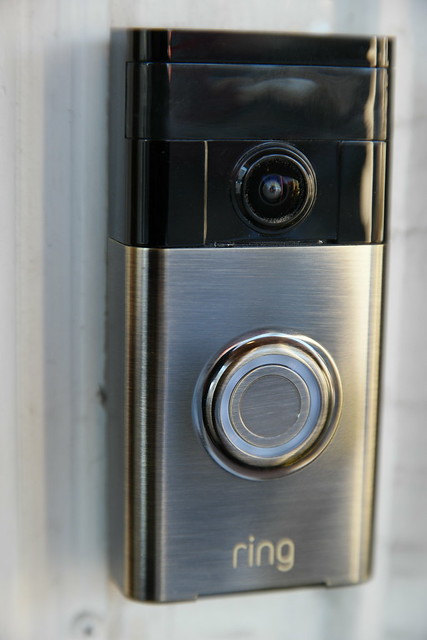
What started me on my quest to extend my WiFi network in our 100 year old home, was the installation of a ring.com WiFi connected video doorbell. In order for the doorbell to perform correctly, it needs a strong WiFi signal. The problem I have in this old house, is that my Comcast Xfinity modem/router is on the third floor, and my doorbell is on the first floor. Connectivity down there was non-existent until I installed a Netgear WiFi Range Extender.
That helped, but the doorbell software kept reporting ill health. I wanted to review the Netgear Orbi WiFi solution, but that isn't available for review right now, so when eero contacted me about reviewing their solution, I agreed.
Better Coverage Than Before
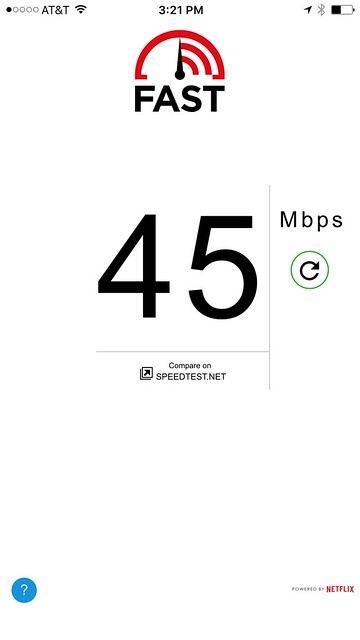
After completing the install of the three eero units, I now have better coverage than before, with WiFi at my front door, going from non existent, to 840 kbps with the Netgear extender, to 45 Mbps with the eero. It's a success. Also, all my existing WiFi connected devices still work after the installation. I was concerned that I'd run into problems, but the only hiccup was that I now have a WiFi connected laptop and printer instead of hardwired connections. That's probably the result of an old 10/100 switch I am using.
Regarding Speed
From the eero website:
Unlike traditional routers, which optimize for the speed you get when standing right next to them, the main goal of eero is whole-home coverage. Sure, speed is important, but only up to a point. Streaming the highest quality 4K HD video only requires a 25 Mbps connection, and Netflix HD only requires 5 Mbps.
Bottom line: getting super high speeds directly next to your router isn’t as important as consistent coverage throughout your home.
Here's my experience installing and testing the eero WiFi system.
Unboxing
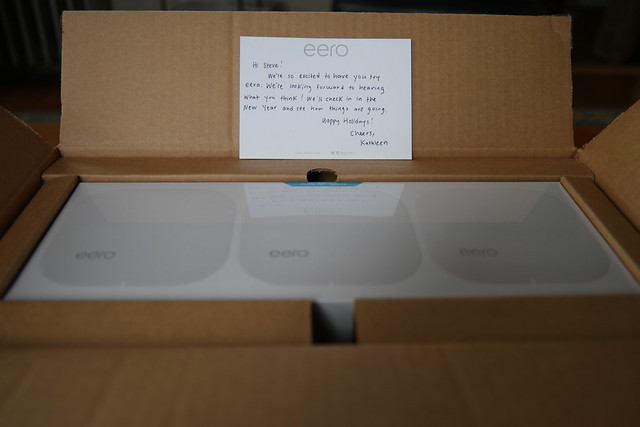
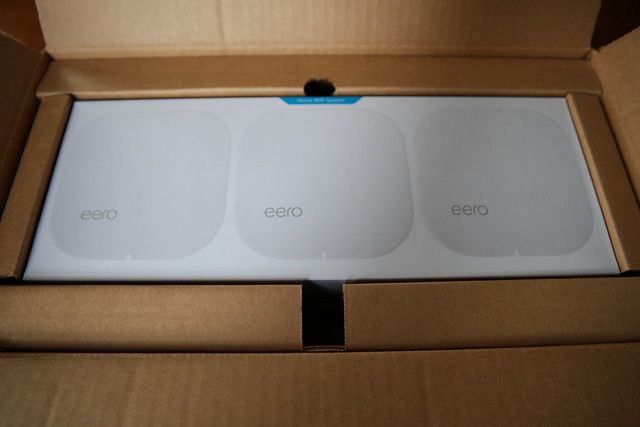
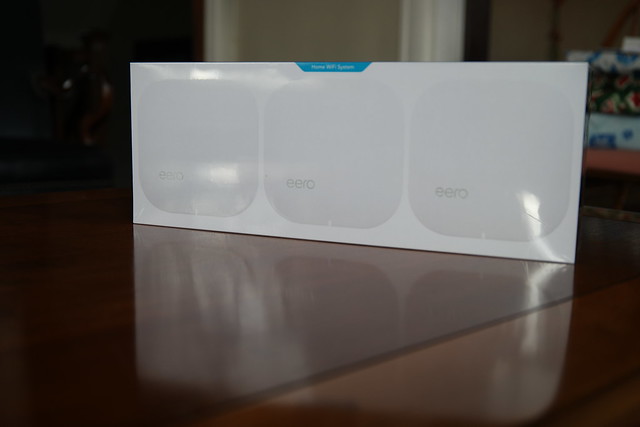
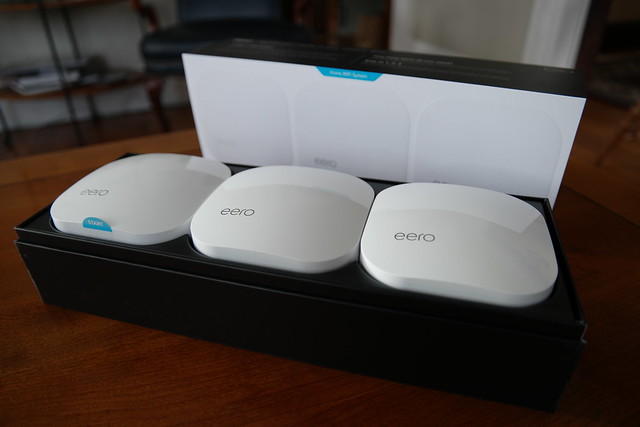
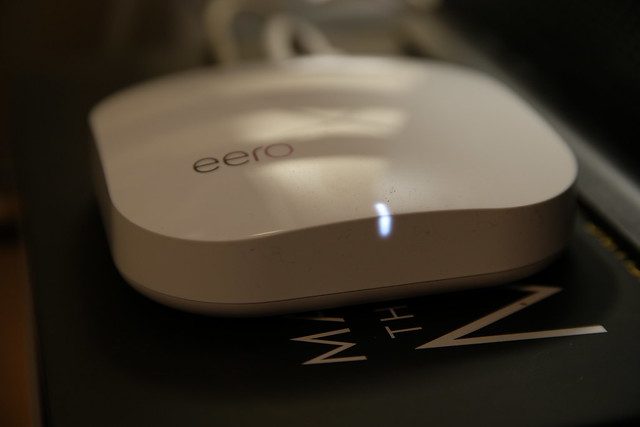
I received an eero Home WiFi System 3-pack, LIST PRICE $ 499.00, for review. It's well packaged, following the Apple model of impressive design.
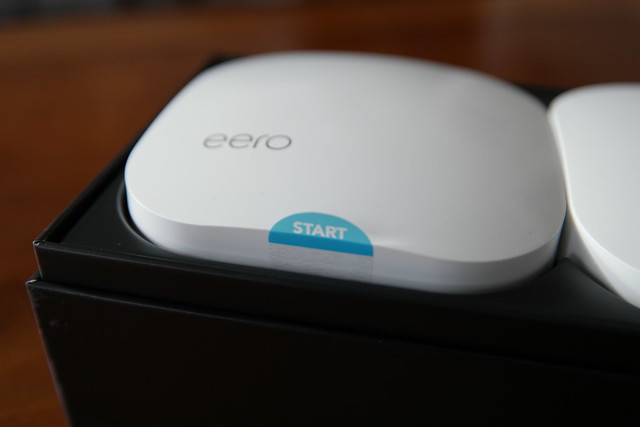
It's very welcoming, indicating where to start with a START sticker. Makes sense.
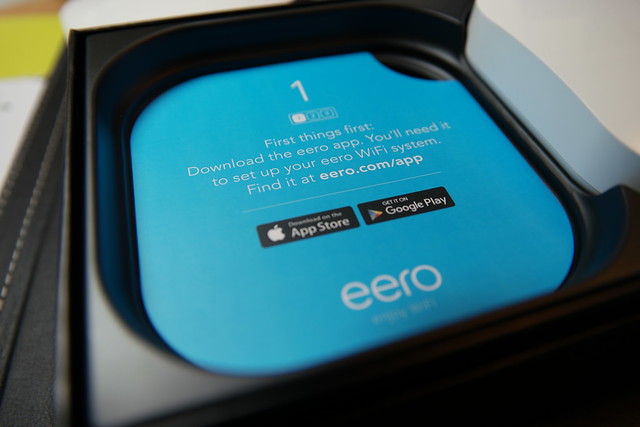
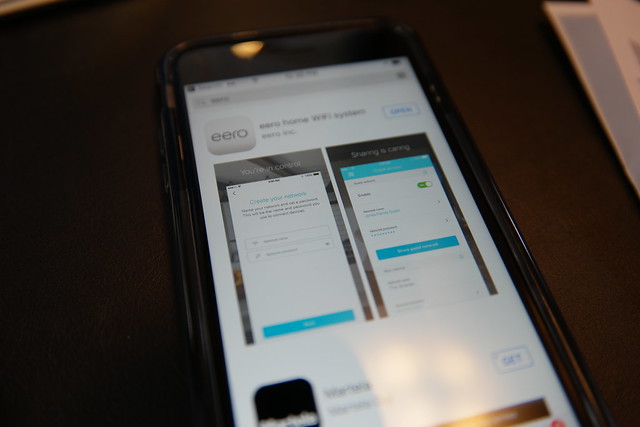
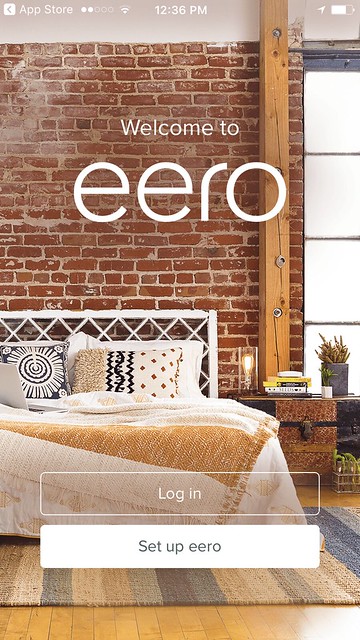
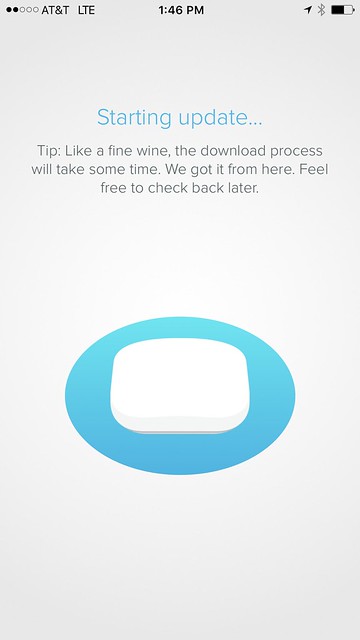
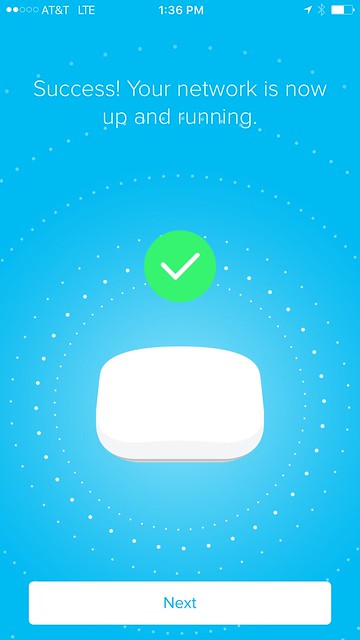
The app is very straightforward and guides you through the set up. I have a Comcast Xfinity modem/router and the instructions asked me to enable bridge mode. That was easy. Then the app started reporting an error, "Trouble connecting to the Internet." I knew that I had an internet connection because my laptop was hardwired to the modem and I was still able to browse with Safari. So I called the help number for eero, and someone answered right away. They were knowledgeable about my situation and suggested disabling bridge mode, creating the eero nnetwork, and then when set up was complete, enable bridge mode again.
That worked.
When I came time to naming my network, I chose the existing name of my fastest network, Skynet-5. All the other network names would be removed after enabling bridge mode since that shuts off the WiFi routing from the Comcast Xfinity modem.
I also unplugged my Netgear extender, so goodbye to Skynet-2.4. Skynet-5_EXT and Skynet-2.4_EXT. Switching networks was a pain and I'm glad that I now just have to use the one network at home.
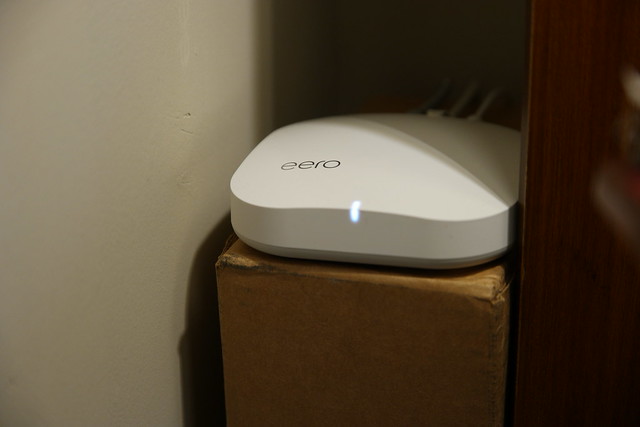
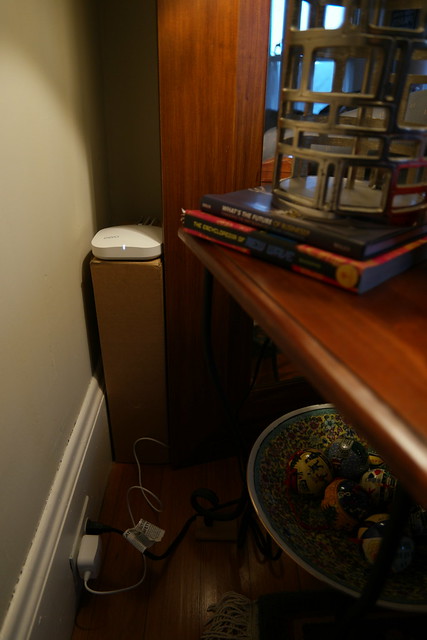
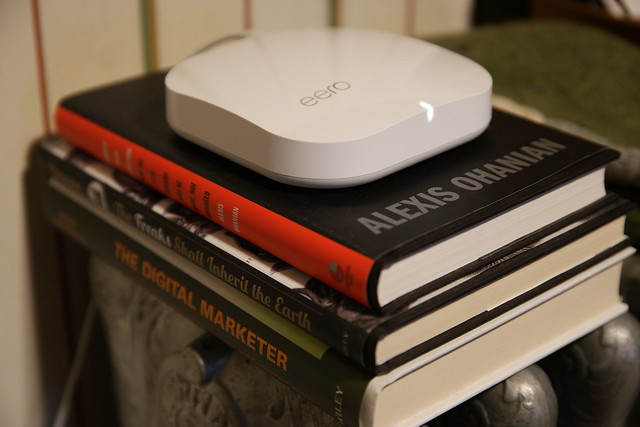
Now let's take a look at each of my installed eeros.
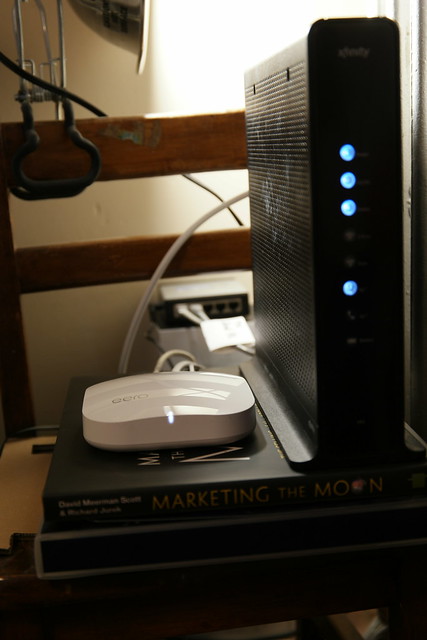
eero ONE
CONNECTION: COMCAST XFINITY MODEM -> eero ONE -> 5-port switch
CONNECTION: 5-port switch -> CAT 5 to eero TWO
eero TWO
CONNECTION: eero TWO -> TiVo
eero THREE
CONNECTION: NONE
SPEEDS
OFFICE
BEFORE 180 Mbps, 130 Mbps
AFTER 230 Mbps, 190 Mbps, 170 Mbps
KITCHEN
BEFORE 130 Mbps, 84 Mbps
AFTER 180 Mbps, 31 Mbps, 19 Mbps
FRONT DOOR
BEFORE NO SERVICE
BEFORE/Extender 840 kbps
AFTER 45 Mbps
Dead Zone is No Longer Dead
Image: Fast.com Speed Test at Front Door
Prior to installing the eero, I was extending my WiFi network with a Netgear Extender. My Ring.com doorbell kept reporting a weak signal.
Now, after installing three eero units, one upstairs on the third floor near the modem, and two on the second floor, the signal at the front door is 45 Mbps. Prior to the eero install, the front door could not get any WiFi service from the 3rd floor Comcast Xfinity Modem/Router, and only received a weak 840 kbps WiFi signal after installing the Netgear Extender.
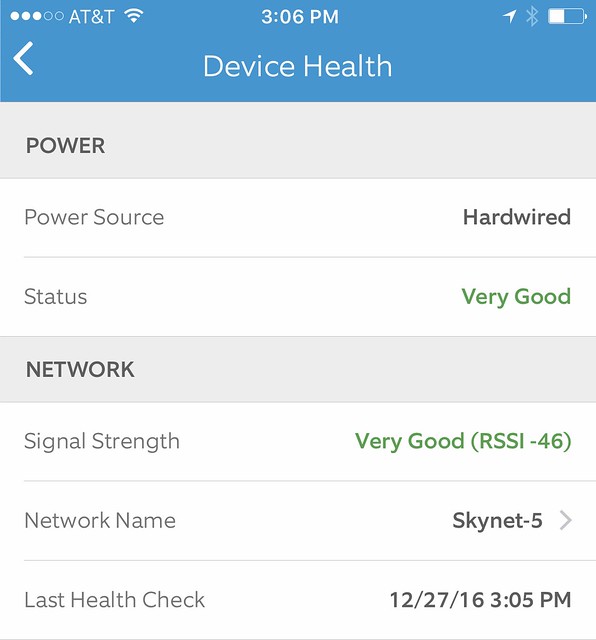
Now with 45 Mbps, the Ring.com door bell reports Very Good signal strength health.
Disclosure: I received eero WiFi system with TrueMesh for free in return for my honest opinion. This review reflects my honest opinions, findings, beliefs and experience.
UPDATE:
I gave this eero system to my cousin who was experiencing weak signals in parts of his house.
Here's his report.
"Had some weaker areas that weren't totally dead but they're regular speed now."
Disclosure: I received an LG G4 from AT&T, and was paid by AT&T for this review.
Photography tips for taking photos on your phone
When taking any type of photo, keep these tips in mind, and you'll end up with great shots.
1. Get more light.
If you are about to take a photo and you think it's too dark. It's too dark. Turn on the lights if you are inside. If it's daytime, stand by a window or go outside.
Are you a food photographer? Your photos will look a lot better if you bring your plate by a window. In a restaurant? Carry your plate over to a window, the photo will be improved by adding natural daylight.
Many times the bar will have hanging pendulum lights that are perfect for shining a light on a plate of food too.
Here are some recent examples of food photos taken with available light:
Have those around you use the lights on their phones to light up your subject.
Here I took a snapshot of a horse and a teddy bear. Looks fine.
Image: Before. With Room Light Only.
Then I shined a little extra light on the subjects, and it brought out some of the detail.
Image: After. With a little additional light provided by a smartphone light. Looks better.
Is it actually too dark?
Do you have no way of adding light? Use manual mode on your camera to add light that way. Increase the exposure by using a slower shutter speed and adjust the ISO setting to let more light in.
It was the middle of the night and way too dark to take this photo:
Image: Chimney at night.
So I used manual mode and set the shutter speed to 4 seconds and the ISO setting to 2,700. Here's what I got:
Image: Chimney at night. Manual Mode.
2. Get closer.
It's nice to get a wide shot to set the scene.
Get closer too.
Get really close. Find the details of a larger scene in the small things. If you think you are close enough, take one more step closer.
If there are interesting people around, ask if you can take their photo. It's a challenge to get close to someone you don't know.
3. Get a different angle.
Most people go to the same spot, hold up their camera, take a photo and leave. Think, Chevy Chase in National Lampoon's Vacation at the Grand Canyon.
Take a moment to take in your surroundings. Is there a different place you can take your photo from, where no one else is? Is there a fence or a window that you can shoot through?
4. Get low.
Lie down on the ground and shoot along the ground.
Shoot up towards a subject. If you are shooting pets or children, get on their level and take a photo from there.
5. Get high.
Is there a staircase, or hill nearby?
Get a different angle on your subject by shooting down. Get up on a sturdy chair. ;-)
LG G4 details and review
I used the LG G4 for a few days and loved it. It's very light in weight and the screen is a pleasure to use. If you are an iPhone user, all your standard apps are here, Facebook, Twitter, and Instagram, and work just like the iPhone versions. The speaker is on the back of the LG G4, opposite from the screen. That doesn't matter if you are using headphones. When you are not, the sound is fine. You can cup your hand around the back to make it louder. The back of the LG G4 is curved, so if you place the LG G4 on the table and start typing, the phone wobbles. It's better to type on it when holding in your hand.
Let's look at some of the most interesting features of the LG G4:
Does it even need a case?
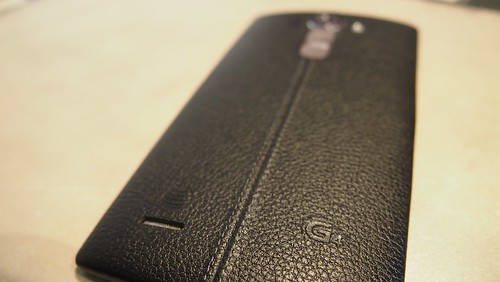
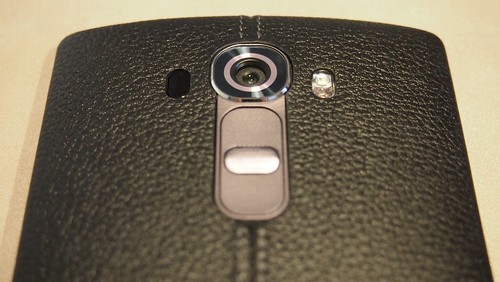
The G4 is available with a genuine leather body. Black or brown. That's unique. When my demo phone came in from AT&T, I opened the box and said, "Whoa!" The integrated leather body is very nice.
Image: G4 with black leather
Image: G4 with black leather. Close Up.
Does it have a replaceable battery?
Yes.
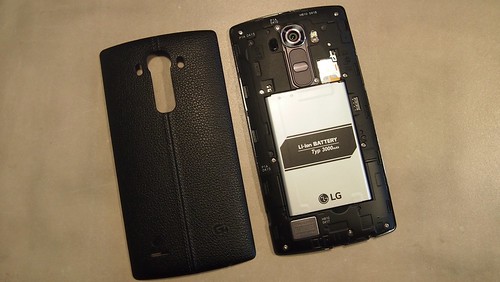
The leather cover easily pops off to allow you to replace the battery.
Image: Cover off to allow access to battery
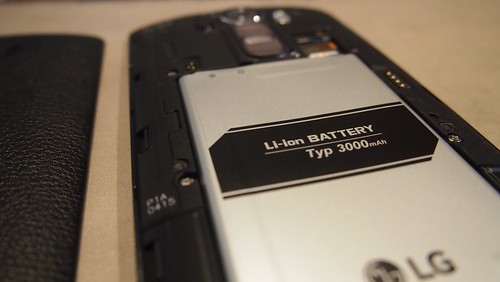
Image: Battery - Li-ion BATTERY Typ 3,000 mAh
Is the battery going to die?
Depends on how much you use it. The LG G4 has "Battery management with fast charging capability and Super Power Saver mode." The G4 has a removable 3,000 mAh battery. You can also replace it with a spare. (Backup batteries sold separately)
Is it a phone with a camera, or a camera with a phone?
For me it's a camera first, then a phone.
Features of the LG G4 camera include an f/1.8 low-light lens, Manual Mode, Optical Image Stabilization, Laser Autofocus, and high-res image sensors.
LG G4 Camera and Video Specs:
16 MP rear-facing camera with dual LED flash, Optical Image Stabilization (OIS+) 2.0, Laser Auto Focus, 8x digital zoom, and f/1.8 lens
Camera Features: Burst Shot; Gesture Shot; Cheese Shutter; Panorama; Dual Camera/Video; HDR (High Dynamic Range); Timer Shot; Light Trail
Video Record: UHD (3840 x 2160) @30fps; 1080p (1920 x 1080) @30fps; 720p (1280 x 720) @30fps; Slow motion (1280 x 720p) @120fps; QVGA (320 x 240) @120fps
Video Playback: UHD (3840 x 2160) @30fps; 1080p (1920 x 1080) @30fps; 864 x 480 @30fps
8 MP front-facing camera with f/1.8 lens and 8x digital zoom
My first shots with the LG G4, in automatic mode, with HDR turned to AUTO mode, were crystal clear. (see above)
Shortcut key: If you press the volume down key twice, the camera app opens. If you want, you can also turn on Quick Shot to take a photo instantly when the app opens with the key.
Can you take a better selfie?
Short answer: Yes.
Here are the details:
LG has elevated the art of the selfie with the new G4. With an 8 MP front-facing camera good enough to be a rear-facing camera and a soft selfie light that brightens around the border of the photo preview window, it perfectly captures your most important subject: you.
If you enable Gesture shot, the LG G4 will take a Selfie photo of you when you make a fist. Repeat the gesture and the LG G4 will take 4 Selfies.
Gesture Shutter How To:
To start the photo timer, simply open your hand then make a fist. Want to capture photos in a sequence? Open and close your fist twice for four selfies in a row. Gesture View can even switch between image capture and picture review automatically when you bring the phone down then back up.
Yes. Selfies are now built into cameras. ;-)
Image: Making a gesture
Power to the selfie!
Bonus:
With Dual mode, you can take a selfie and a regular photo at the same time, and they get mashed up into one photo.
How is the screen resolution?
It's great!
Crazy specs talk starts here: With a 5.5" IPS Quantum display, the G4 has QUAD HD RESOLUTION at 2560 x 1440.
For reference:
- UHD TV is 3840 x 2160
- 1080p is 1,920 x 1,080
- 720p is 1,280 x 720
Can the LG G4 shoot Ultra High Definition 4K video?
Yes.
Wait!
What?
When in video camera mode, you can choose between on-screen settings shown on the display as: Slo-mo, HD, FHD, and UHD. The default setting is FHD or Full HD, 1080p. For this test video I chose UHD.
When in video mode, you can choose between on-screen settings shown the display as: Slo-mo, HD, FHD, and UHD. The default setting is FHD or Full HD, 1080p.
Video: Sample LG G4 UHD 3840 x 2160 @30fps Video. Hosted on YouTube.
Note: To view in 2160p 4K, you need to choose that setting on the YouTube video
Image: Choosing 2160p 4K setting on YouTube
Here's another 4K video.
Cheese:
In this example, auto focus was turned on. You can turn on manual focus to keep the camera from refocusing on everything that moves.
Could this phone save your life?
Yes, it could. If you use AT&T Drive mode.
Everyone knows texting and driving is dangerous, yet when a text message comes in, it's difficult not to respond. AT&T DriveMode is a free* app that silences incoming text message alerts so you can stay focused while driving.
Image: AT&T Drive mode "No te#xt is worth a life"
The LG G4 with AT&T Drive mode enabled uses GPS to detect when you are driving over 20 MPH. The AT&T Drive mode app then automatically replies to people who text you with a pre-written text message. I edited the standard copy to look like this:
Image: AT&T Drive mode Auto Reply
Note: AT&T Drive mode is available for both Android and iOS. Additional Photos taken with the LG G4
Image: Fire engine in the middle if the night taken through a screen window. Auto Mode: Exposure 1/10.
Image: Fire engine in the middle if the night. Manual Mode: Exposure 1/10. ISA 2200.
I had the LG G4 out at a restaurant and the server was really impressed with the resolution of the screen. Then she asked me how much the phone cost, so I looked it up for her.
The LG G4 4K Seconds Sweepstakes
The LGG4 4K Seconds Sweepstakes started on May 29th, and runs through June 20th. In order to celebrate the awesome 4K capture capability and 2TB of storage, AT&T is giving away one LGG4 every 4K seconds (66 minutes) for 23 days, totaling to an impressive 500 phones.
For a chance to win, participants need to:
1. Register at http://4kseconds.att.com/
2. Upload a picture they took from their phone. This can be done from a mobile device, tablet or computer. Images need to be .jpg or .png and less than 1 MB.
There is also a contest component to this program. All submitted photos (deemed eligible by the Official Rules) will also be housed on a gallery on the sweepstakes website. These will be open to public voting in order to determine a public appeal score. The photos will also be judged by a panel of judges.
The photo with the highest combination score from the judges and public appeal will be deemed the Grand Prize Winner and will receive a 55” Class Smart Curved 4K OLED 3D TV with webOS 2.0 and a 3D-Blu-Ray Disc Home Theatre System with Smart TV and Wireless Speakers. The second and third highest ranked photos will be deemed the First and Second Prize Winner. These winners will receive a 65” Class IPS 4K UHD Smart LED TV with webOS 2.0 and 3D-Capable Blu-ray Disc Home Theatre System with Smart TV and Wireless Speakers. The winners will be announced upon completion of the Judging Period, which ends July 9th.
Conclusion
The LG G4 was easy to set up and fun to use. It has some very well thought out features that make using the phone a pleasure.
LOCK - Do you have a lock on your smartphone? The LG G4 has a Smart Lock feature knows when you are home and doesn't require locking every time. That's cool. You can also set up other trusted places where the LG G4 won't require a password every time.
APPS - I enjoyed using apps like Facebook, Twitter, and Instagram on the LG G4. it's 5.5" screen made it easy to use those apps.
CAMERA - The camera is solid. Automatic mode works great the majority of the time, and when needed, manual mode gives you lots of flexibility.
Bottom line: The LG G4 is Easy to set up, Fun to use, and Solid for both creating and consuming photos and video.
Steve Garfield approaches life with alacrity; a brisk and cheerful readiness. He enjoys learning, teaching and helping fun people and companies grow. Steve is a Social Media Traveler. Companies, brands, and destinations send Steve and his wife on trips where they publicly share their experiences via social media. Recent examples include the opening festivities for the Hermitage Club and traveling with GMC to the Super Bowl.