Labels

Categories: Food | Travel | Beer | Wine | Boston | Humor | TV | Tech | Pop Culture | Politics | Golf | Video | Photo | Auto
Sponsored: Samsung | Cadillac | Volt | GMC | AT&T | Gear List: Cameras, Lights, Microphones, etc.
More: SteveGarfield.com | Steve Garfield's Video Blog (archived 6/19/2013)
“As an Amazon Associate I earn from qualifying purchases.” | Mastodon
Showing posts with label subscribe. Show all posts

Monday, April 29, 2019

Subscribing to a Podcast in the Stitcher Web App

My friend Andrea Syrtash has a new podcast, Pregnantish, and asked me to subscribe. One of the subscription options is Stitcher.

I've never subscribed to a show on Stitcher, so I had to figure it out. Rather than download the app, I decided to subscribe using the Stitcher Web App.

Here's how.

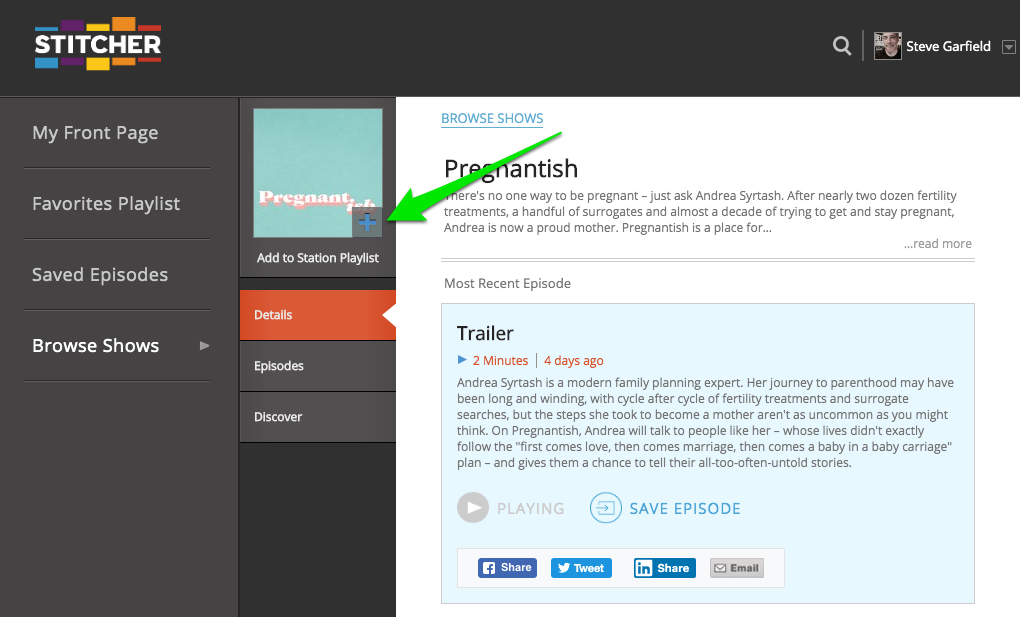
Click the "+" button on Stitcher.

EXTENDED EXPLANATION

1. Go to the show page for Pregnantish on Stitcher.

2. If you don't have a stitcher account, CLICK SIGN UP, otherwise CLICK SIGN IN and go to STEP 4.
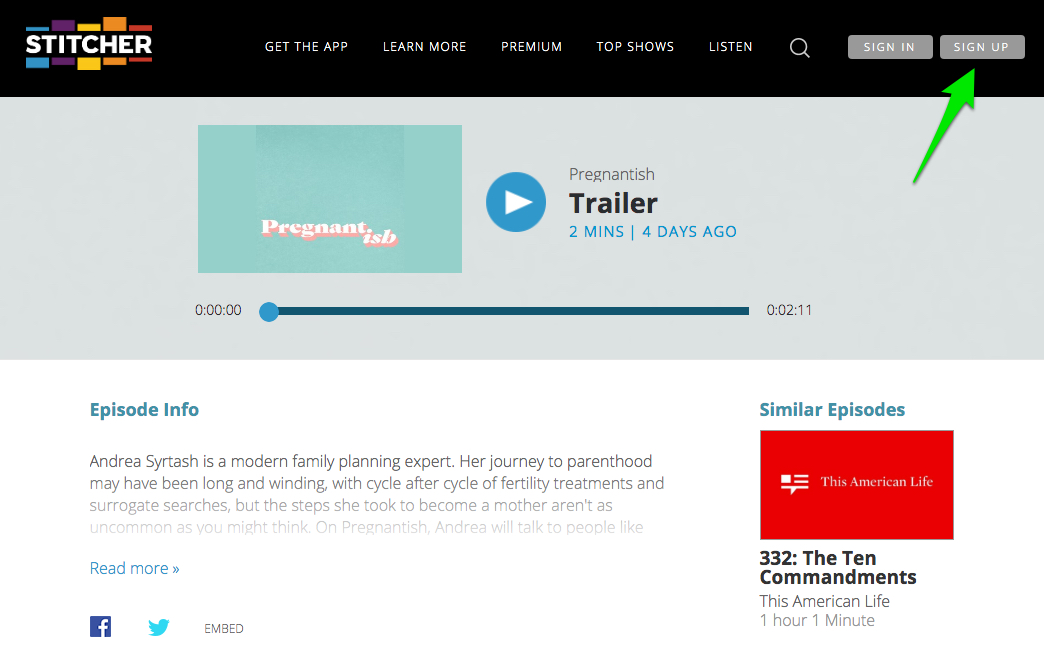


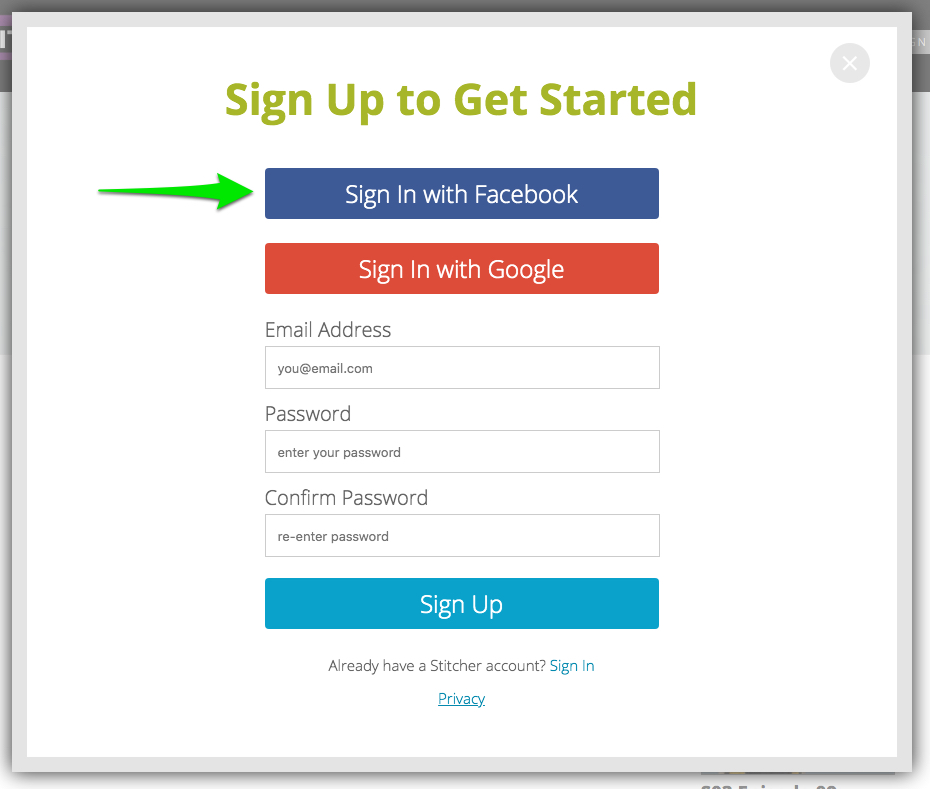
3. Choose how to SIGN UP. I chose Facebook. CLICK SIGN IN WITH FACEBOOK.


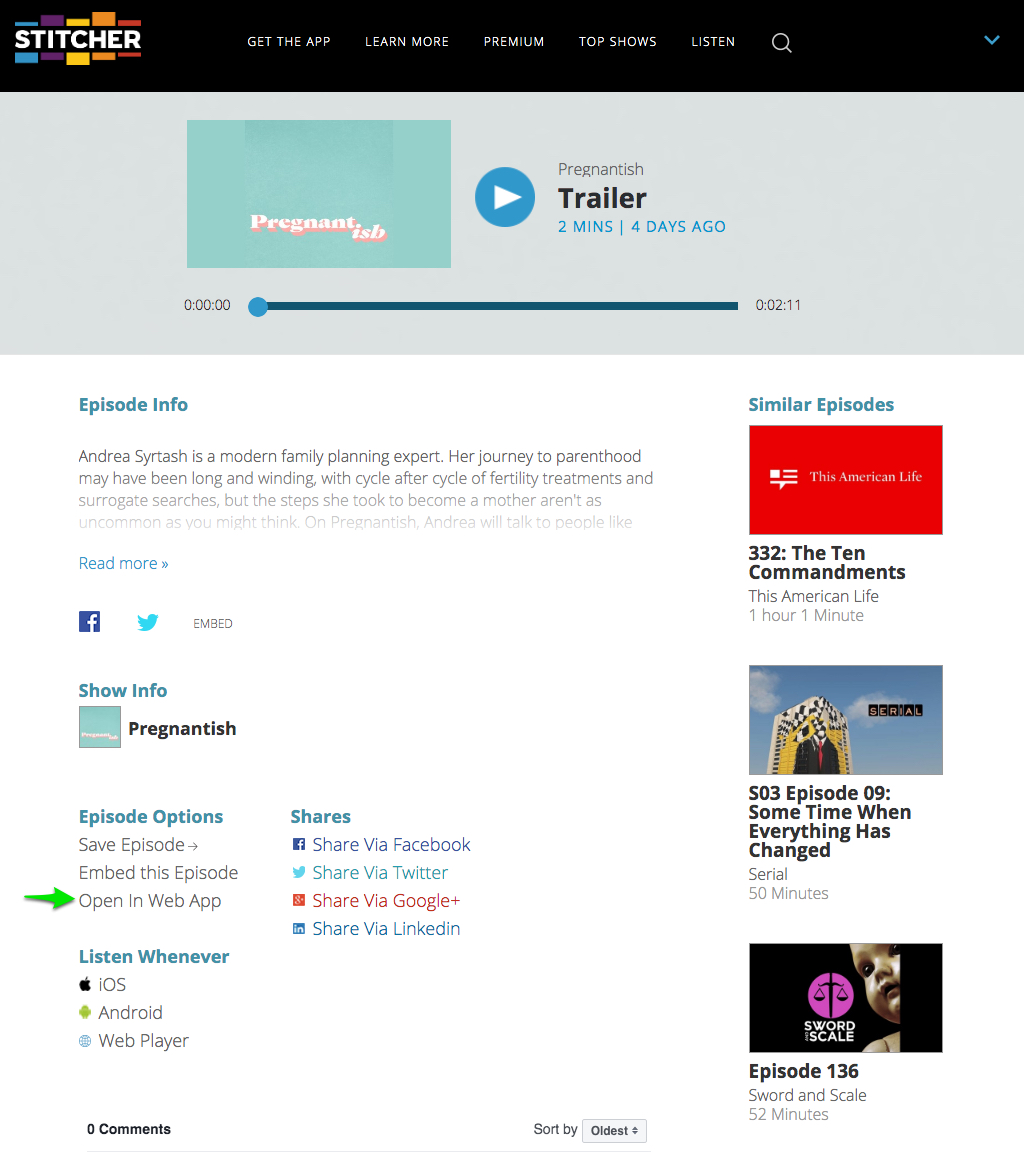
4. Choose OPEN IN WEB APP.


5. CLICK the "+" button to SUBSCRIBE.


6. CHOOSE THE PLAYLIST, and CLICK SAVE.
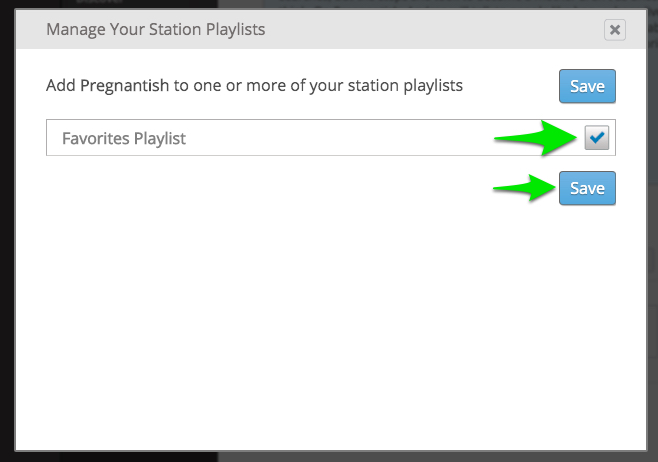


That's it. You've subscriber to a podcast with the Stitcher Web App.

Sunday, June 23, 2013

How to Add Clickable Links to YouTube Videos using FCP X.

In order to increase engagement on YouTube, it's a good idea to give your viewer clickable links at the end of your videos.

In this example I've linked to a related video, and to a Subscribe Button

Here's how I set it up in Final Cut Pro X:

On the timeline add a short clip from another video, and add a subscribe button.

FCP X: YouTube Video Post Roll and Subscribe Button

After uploading the video to YouTube, you have to add ANNOTATIONS.

Use SPOTLIGHT MODE.

Then CLICK 'Link', SELECT 'Video', and add in the URL of the other YouTube video.

YouTube: How to Link to another YouTube video, in a video

Here you CLICK 'Link', SELECT 'Subscribe', then add your YouTube channel name.

YouTube: How to Add a SUBSCRIBE button to your Video

Here's a subscribe button you can use:


Image: YouTube Subscribe Button

See these links in action here.