Labels

Categories: Food | Travel | Beer | Wine | Boston | Humor | TV | Tech | Pop Culture | Politics | Golf | Video | Photo | Auto
Sponsored: Samsung | Cadillac | Volt | GMC | AT&T | Gear List: Cameras, Lights, Microphones, etc.
More: SteveGarfield.com | Steve Garfield's Video Blog (archived 6/19/2013)
“As an Amazon Associate I earn from qualifying purchases.” | Mastodon

Thursday, March 30, 2017

MassMutual's FutureSmart Program - Financial Literacy for Kids

Hill Harper, Boston students, and the Celtics were fired up about financial education at the Mass Mutual #FutureSmart Challenge at TD Garden yesterday.


FutureSmart is a nationwide initiative that brings critical financial education to middle and high school students across the United States. The MassMutual Foundation believes that financial education is key to economic opportunity. Through FutureSmart, the Foundation aspires to reach over 2 million students and their families by 2020.

It was a thrill for the kids to be at TD Garden and so close to the court.


Future! Smart! Challenge!


Here's Hill Harper on the court.


He had some great lessons for the students, and went into the crowd to talk one on one with the kids and test their financial smarts.


The kids learned how to download the Future Smart App that will help them learn about handling money.


I came away with Hill Harper's book, The Wealth Cure (affiliate link), and started reading it last night. It's presents a common sense way to think about handling money. It's sad that schools don't teach kids about handling their finances, and good to see programs like this reaching kids at a young age.


As part of the program the Celtics' mascot Lucky and the Green Team did some amazing basketball stunts.


This one did not go as planned!


The Celtics dancers though, nailed their tricks.


It was a great day for the kids' and I had a chance to get close to the basket.


Bonus: MassMutual archived Live Stream of the event:


Disclosure: MassMutual compensated me in return for covering this event. I was not asked to write anything specific about the event. All opinions expressed regarding MassMutual's FutureSmart Program are my own.

Tuesday, March 28, 2017

Two Weeks in Paris 1981

My parents went to Paris in 1981 and I just found my father's notes from the trip. He had a dry sense of humor.

Wednesday, March 22, 2017

SXSW 2017

SXSW 2017

Three people of SXSW 2017.

CASEY NEISTAT
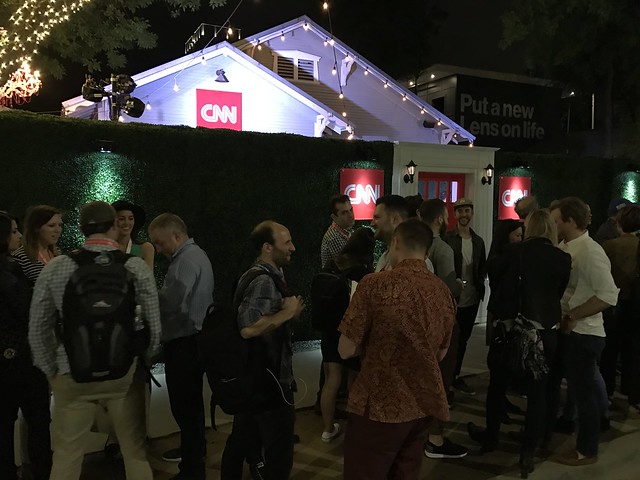
Casey has no idea what he is doing at CNN, but in his talk, he said that he has NEVER had any idea what he was doing. That’s what CNN needs. Someone to experiment, see what works, and throw away failures.

SXSW2017

His tech team is building apps and I think we’ll see lots of experiments with conversations with real people. Also, he mentions the hundreds of CNN bureaus around the world and helicopters!

It will be exciting.

GARY VAYNERCHUK
Gary was greeting people before his keynote at the door to the conference room.

SXSW2017

The funny moment came when he was going ON HIS LEFT TEHN ON HIS RIGHT, taking selfies. I jumped in on his LEFT and he looked in my phone, then saw a selfie with me in it and TURNED to me IN REAL LIFE and said HEY STEVE GARFIELD!

So funny!

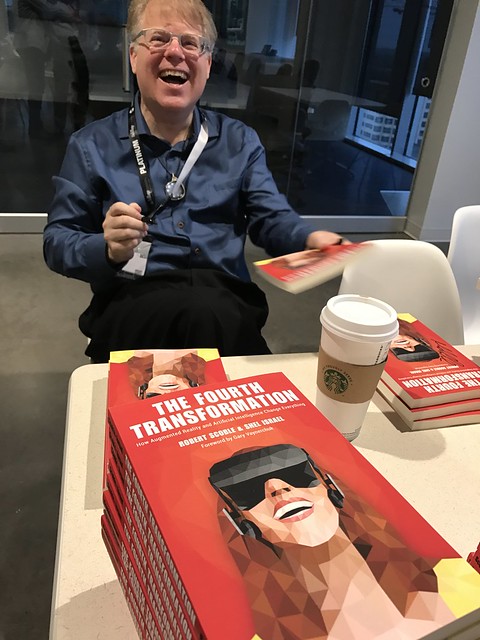
ROBERT SCOBLE
So much.

I heard some interesting news about Apple’s entrance into the VR/AR market. They are reportedly building their own CDN to carry all the data people will use with new AR/VR devices.

SXSW2017

Reportedly they will come out with products that will be easily adopted by the market which do not require large and powerful PC’s to run like current VR products.

There will be options to slip your NEW iPhone into a headset, and also use some type of eyeglass/headset that will be inexpensive and be powered by a connected iPhone.

In the group I was in, everyone said they would buy all the new products.

No one has market share in AR/VR and it is a BIG opportunity for Apple.

On the other hand, many features of these new apps are also found in current phones so there’s always the chance that adoption will be smaller and slower.

But, if Apple brings out AR/VR products for THE REST OF US, it could be huge.

Time will tell…..

Tuesday, March 14, 2017

Monday, March 06, 2017

WaWaWinter at WaWaWachusett Mountain


Red Apple Farm. On the mountain. #WaWaWachusett #MediaTour #Donuts

A post shared by Steve Garfield (@stevegarfield) on


Lots of snow here. ‪@Wachusett #WaWaWinter #MediaTour‬

A post shared by Steve Garfield (@stevegarfield) on


Great skiing! ‪@Wachusett #WaWaWinter #MediaTour‬

A post shared by Steve Garfield (@stevegarfield) on


Disclosure: Wachusett compensated me in return for covering this event. I was not asked to write anything specific about the event. All opinions I express regarding Wachusett are my own.

Saturday, March 04, 2017

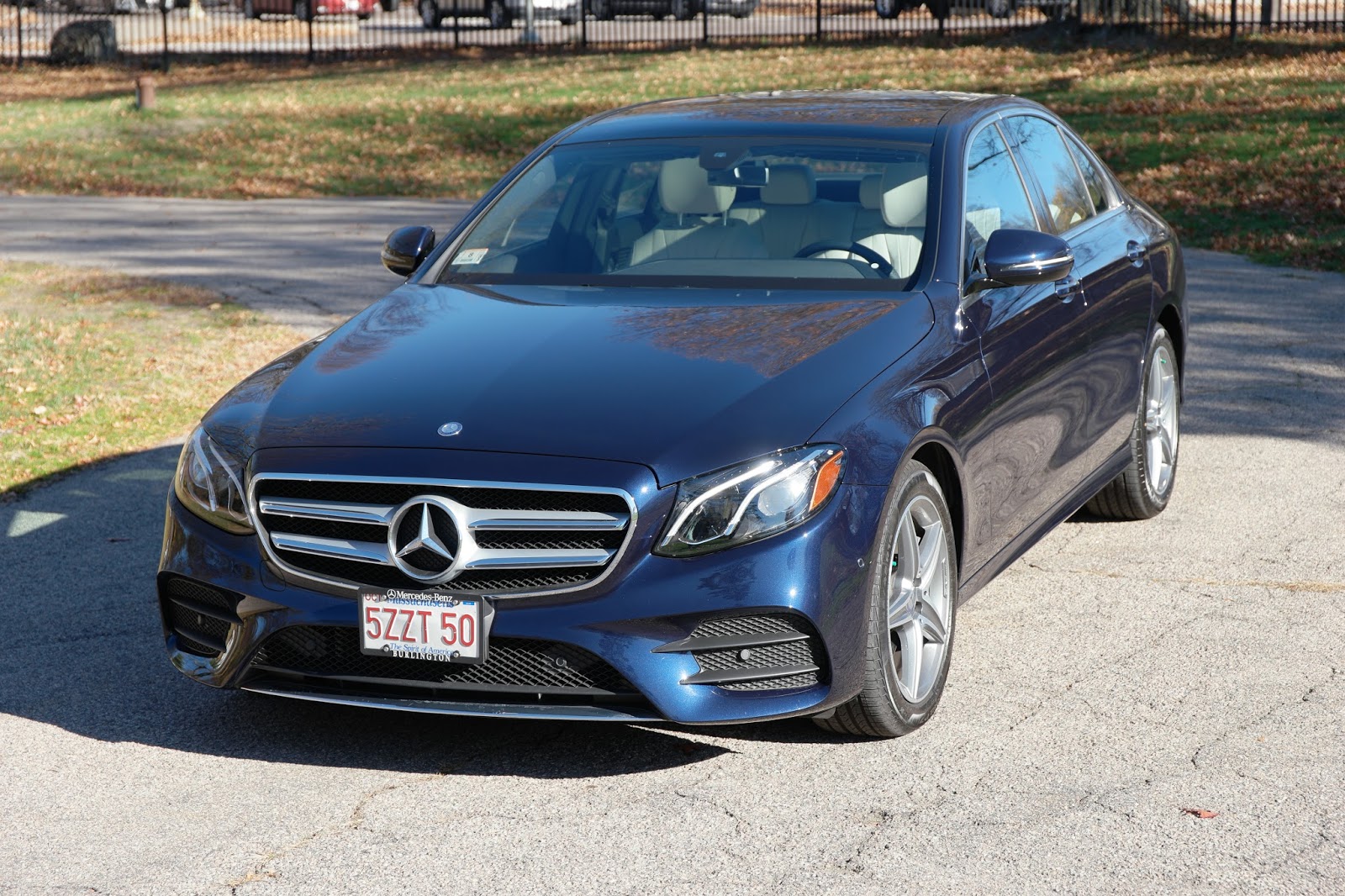
2017 Mercedes-Benz 2017 E300 Test Drive


Got it home. Tried a few new things along the way. I put on my blinker while Drive Pilot was on, and the car switched lanes. I turned on parking assist and the car backed into a space. This is a new feature, above and beyond parallel parking.

TO BE CONTINUED...

Disclosure: Mercedes-Benz of Burlington provided me with a 2017 Mercedes-Benz E300 for a test drive. I have a financial interest in Mercedes-Benz of Burlington. I was not asked to write anything about the car and was not provided any other compensation of any kind. All opinions I express regarding the 2017 Mercedes-Benz E300 are my own.

If you are interested in a Mercedes, mention my name to Victor Argueta at Mercedes-Benz of Burlington, Mass, and he will take care of you.

Friday, March 03, 2017

2017 Mercedes-Benz GLC 300 Coupe Test Drive


2017 Mercedes-Benz GLC 300 Coupe at Larz Anderson Auto Museum.


Disclosure: Mercedes-Benz of Burlington provided me with a 2017 Mercedes-Benz GLC 300 Coupe for a test drive. I have a financial interest in Mercedes-Benz of Burlington. I was not asked to write anything about the car and was not provided any other compensation of any kind. All opinions I express regarding the 2017 Mercedes-Benz GLC 300 Coupe are my own.

If you are interested in a Mercedes, mention my name to Victor Argueta at Mercedes-Benz of Burlington, Mass, and he will take care of you.

Saturday, February 18, 2017

Experience Kissimmee in Boston with a FREE Zipline Ride, Live Alligators, Crayola coloring, and airboat selfies

Experience Kissimmee is bringing a little bit of Florida sunshine to Boston!

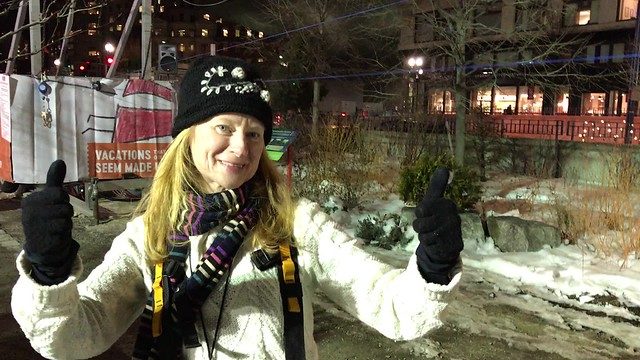
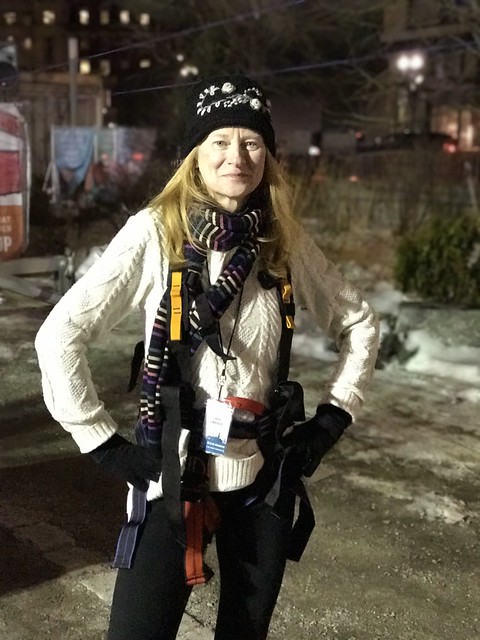
Carol and I went to Experience Kissimmee's press preview and experienced a lot of firsts! On Carol's bucket list was riding on a zipline, COMPLETED. It was a great way to sample what a zipline is in a relatively low ride. I did it too and it was fun.

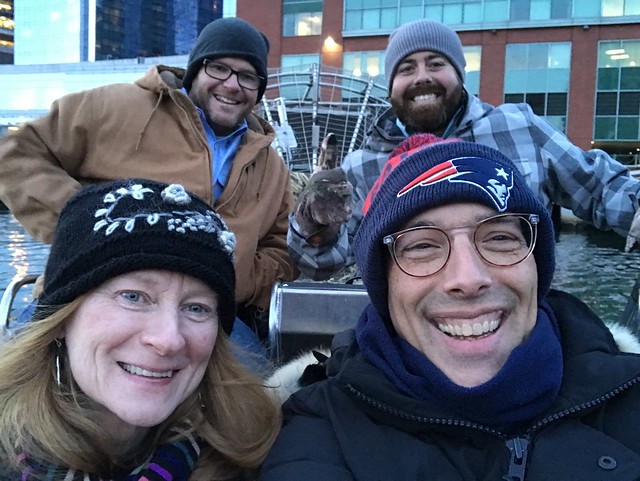
We also were able to take an airboat ride in Boston Harbor. The guys from Wild Florida were lots of fun and gave us an idea of what it would be like to take an airboat ride in the Everglades. What they didn't expect was getting stopped by the State Police for driving an airboat in Boston Harbor! Luckily the ride that was stopped wasn't our ride, and they were allowed to continue after confirming that they had permission to give the press rides as a preview for their event. The Boston Harbor needs something like this to open up the waterfront to more people. Regular rides along the waterfront would be a fun addition for the city. ;-)

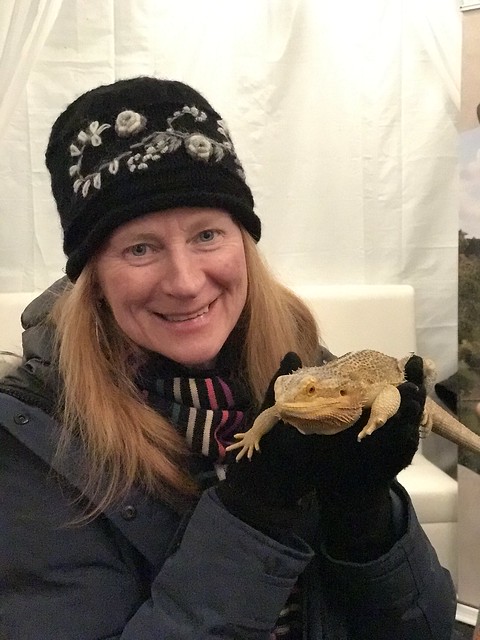
Not on Carol's bucket list was meeting a live alligator and holding a painted dragon lizard from Gatorland Orlando, but she did that too. That will be a lot of fun for kids.

Here are the details on Experience Kissimmee's three day Boston Event:

Join Experience Kissimmee for some high-speed, high-flying fun in the heart of Boston. The Freezin’ Gator Zipline and other activities are FREE and open to the public!

WHEN:

Saturday, February 18- Monday, February 20, Open from 11 AM to 5 PM*
(*Come early! Lines may close before 5 PM if we are at capacity)

WHERE:

Rose Kennedy Greenway-Dewey Square
Located in front of South Station

WHAT:

- Ride on Gatorland's 250’ temporary zipline

‪#zipBoston @Kissimmee‬

‪#zipBoston @Kissimmee‬

‪#zipBoston @Kissimmee‬

- Meet LIVE alligators from Gatorland Orlando

‪#zipBoston @Kissimmee‬

‪#zipBoston @Kissimmee‬

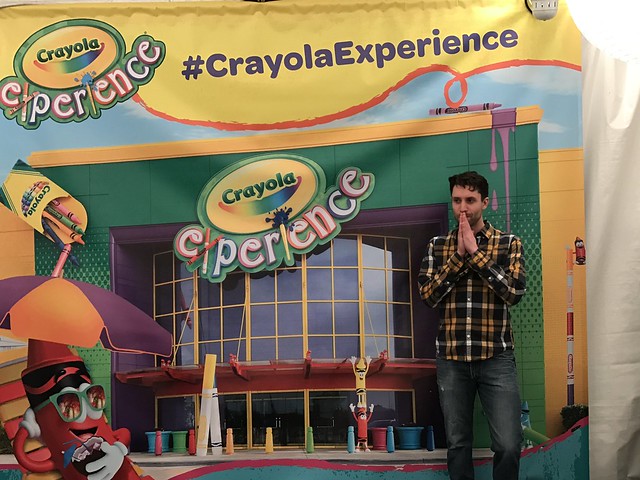
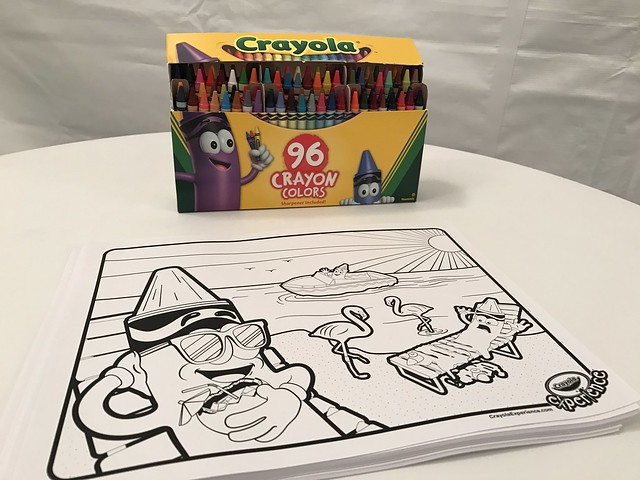
- Color your world at the Crayola Experience Orlando coloring tent

‪#zipBoston @Kissimmee‬

‪#zipBoston @Kissimmee‬

- Take the ultimate selfie on an airboat with Wild Florida

‪#zipBoston @Kissimmee‬

- Enter to WIN a vacation to Kissimmee, FL and tons of other exciting prizes in our sweepstakes!

Restrictions:
-All riders will need to sign a waiver. (Kids under 18 will need parental consent.)
-Riders must weigh 75 pounds but no more than 250 pounds.
-No height restrictions.

If you feel generous, please bring a gently used coat to donate to a community charity. (A local charity will be announced real soon, stay tuned)!*

#ZipBoston

Monday, February 06, 2017

Review: Installing Orbi Home WiFi System by NETGEAR

The folks from NETGEAR sent over an Orbi Home WiFi System for me to test after seeing that I recently reviewed and installed an eero WiFi system with TrueMesh. After seeing the speed tests that I posted online, they gave me the "Orbi Challenge", "I would bet that you will get greater coverage and faster speed with just 2 Orbis!"

I wondered how a two unit Orbi Home WiFi system could be as good or better than the 4 unit eero WiFi system. I agreed to test Orbi Home WiFi system, and NETGEAR sent me two units.

BOTTOM LINE: The Orbi Home WiFi System by NETGEAR was easy to set up, reduced cable clutter in my home, and increased WiFi performance up to five times.


orbi SPECS:
- A fast, secure Home WiFi system from NETGEAR, the leader in router technology.
- Orbi Home WiFi System includes an Orbi WiFi Router and Satellite that delivers stronger, faster whole home WiFi coverage.
- Get rid of WiFi boosters or extenders; two Orbi cover up to 4,000 square feet with high performance WiFi that work seamlessly together.
- World's first Tri-Band Mesh WiFi creates a dedicated wireless connection between the Orbi Router and Satellite delivering the fastest Internet speeds similar to a wired ethernet connection.
- Easy setup with a single and secure WiFi network, comes preconfigured and works with your Internet service provider (ISP) right out of the box.
- Guest WiFi network—Easily setup separate and secure Internet access for guests.
- “Orbi gives you the most bang for your buck, with impressive throughput speeds, Multi-User Multiple Input Multiple Output (MU-MIMO) simultaneous data streaming, and a lot more management options…" - John Delaney, PC Mag Editor’s Choice
- Orbi App Now Available for iOS and Android

INSTALLATION:
You plug the base unit in and the LED flashes white. I set this unit up on the third floor of my house.

Then you place your orbi satellite in the middle of your house to get the best coverage. Plug it in and it flashes the LED white too.

EDIT: The power adapter covers three outlets on my power strip. That has been brought up to the product team.

I set this unit up on the second floor of my house in the den, where my TV is.


After the satellite flashes white, it connects to the base unit and displays the health of the connection with one of three colors, Blue, Amber or Magenta. Blue means that the connection is good. That's what I got.


NETWORK SETUP:

You connect to the orbi via its preset WiFi network. After following the on screen instructions your orbi is connected and the white LED light turns off. I had already turned off the Comcast Xfinity WiFi, so setting up the network was easy. I used the same network name that I had previously, so one configuration was complete, all my WiFi devices easily connected to the orbi WiFi network.

I knew things were working well when the configuration page asked me if I wanted to print out my network information, and I clicked yes, and the document was printed to my existing WiFi connected Epson printer.

PLACEMENT:

The base using went upstairs, on the third floor, in my office, right next to my Comcast Xfinity modem.

The satellite unit went downstairs, on the second floor, right next to the tv. One benefit of this was that I could use one of the ETHERNET ports on the satellite to connect a CAT 5 cable from the satellite to my TiVo. A hardwired connection has always performed best on the TiVo.

This allowed me to get rid of CAT 5 cable that I had running around my livingroom into my den. The previous connection was eero base hardwired to eero satellite, then hardwired CAT 5 cable to TiVo.


Now it's just a very short CAT 5 cable from the orbi to the TiVo because the orbi, new being wireless is sitting on top of my TiVo.

EDIT: You can not have a wired connection from the base unit to the satellite. In practice, this has not slowed down performance.

SPEED TESTS:

OFFICE
BEFORE(Wired Base eero) 230 Mbps
AFTER (Wired Base orbi)230 Mbps

LIVINGROOM
AFTER (Wired Satellite eero) 220 Mbps
AFTER (WiFi Satellite orbi) 210 Mbps

KITCHEN
BEFORE (WiFi Satellite) 110 Mbps
AFTER 210 Mbps

DEN
BEFORE (WiFi Satellite) 59 Mbps
AFTER 210 Mbps

FRONT DOOR
BEFORE 45 Mbps
AFTER 220 Mbps

These speed result show that the single orbi WiFi satellite outperforms the two eero WiFi satellites.

Performance in the kitchen is doubled, performance in the den is three times, and performance at the first floor ring video doorbell is almost 5 times as fast!

That's great for allowing me to quickly view video on the first floor, and to talk to visitors.

Eero shares on their blog:
...to achieve streaming at 4K (or Ultra HD) quality, you need a consistent, high-speed internet connection. Unsurprisingly, 4K TVs require about four times more bandwidth than a standard TV. And many streaming services require certain connection speeds to support 4K. For reference, you need a minimum of 25 mbps to stream Ultra HD on Netflix.

As you can see from my speed tests above, eero was giving me over double that requirement with 59 Mbps. Orbi is faster.

Buy on amazon.com (affiliate link):


Edit: At first XFINITY TV App and web were giving me an error, Out of Home - XFINITY TV App Error Message. I reported this issue to Comcast, and they looked into it. The next day, Xfinity TV on iPad, iPhone and web were working. I'm checking to see if they did something, of if something was automatically updated overnight. Now works well.

CONCLUSION:

In my home setup, orbi is faster and less expensive than eero. The orbi has more ETHERNET ports that allow hardwired connections, and amazingly, two orbis outperform four eeros.

If you have a smaller you home you can start out with one orbi, if you have a larger home you can add additional satellites.

I'll be watching performance as I connect to WiFi around the house and update this post if anything changes. If needed,

Disclosure: I received the Orbi Home WiFi System by NETGEAR for free in return for my honest opinion. This review reflects my honest opinions, findings, beliefs and experience.

Wednesday, February 01, 2017

Bose QuietComfort 35 wireless headphones

I was watching the Today Show and heard about a Super Bowl promotion to cheer on your team, to get the chance to be seen on the scoreboard, at the Super Bowl, along with an opportunity to win a pair of Bose QuietComfort 35 headphones (Amazon.com affiliate link).

I made a video cheering on the Patriots and shared it on twitter.


I won!

Thank you @Bose for the QuietComfort 35 headphones. #QC35 GO PATS! #LetsHearIt


The headphones came charged up. I turned them on and got a voice prompt to get the Bose Connect app. I did, and it prompted me to upgrade the firmware in the headphones. The app downloaded and applied the update.

Now I'm listening to my music.

These headphones are VERY COMFORTABLE. Some headphones can hurt your ears, these don't.

Some features:
Bluetooth® technology.
Acoustic Noise Cancelling technology.
Up to 20 hours of battery life.
15-minute charge gives you another 2.5 hours.
Audio cable for wired connection.
I'm now playing videos on my computer, while listening to music on my iPhone with the Bose QuietComfort 35 wireless headphones, and I can't hear the video from the computer.

Looking forward to my next airplane flight.

Thanks Bose.

Buy on Amazon.com (affiliate link):


Sunday, January 01, 2017

My Three Words for 2017: Breathe, Push, Nurture.

My Three Words for 2017: Breathe, Push, Nurture.

It sounds like I'm having a baby! LOL.


Once again I'm joining in on Chris Brogan's Three Words Project for 2017.

This year I've chosen my three words for both myself and others.

BREATHE

My friend Dina Kaplan has been helping people understand Mindfulness over the past few years and now has a company around it, The Path.

One of the key points of being mindful is to slow down and listen your your own breath.

It's important to understand that you have control over your emotions. Stopping to take a breath helps.

I've been a big fan of this concept for years, based on the writings of Stephen Covey.

PUSH

This year I've signed up for a personal trainer at Equinox in Chestnut Hill. I've always thought that personal trainers were a gimmick for the health club to make extra money, but now that I've had a number of sessions with Zack Gray, I get it. My check-ins at the club now say corny things like, "Taking it to the next level."

It's really a revelation to me, how important it is to get your body in shape as you age. I've had some shoulder, back an leg pain, and the excersices that I'm now doing will prevent future injuries by making me stronger.

The other side of getting in shape is to monitor and change what food you eat. When we were discussing this aspect of health, Zack got a kick out of it when I described people who don't think about what they eat, as "meat bags just walking around eating what ever they want." ;-)

I'm having fun measuring what I eat using the Under Armor App, My Fitness Pal.

Thanks to Gary Vaynerchuk, Jacqueline Carly, and Erin Bailey for your inspiration on social media.

NURTURE

As always, I like to help fun people and companies grow.

I enjoy teaching children new skills they'll need to grow up to be better adults.

I like to teach adults new skills they'll need to help them grow.

I like to help companies, brands and destinations share their stories in an authentic way to reach more people.

Wednesday, December 28, 2016

Review: Installing eero WiFi system with TrueMesh

REVIEW: eero WiFi system with TrueMesh

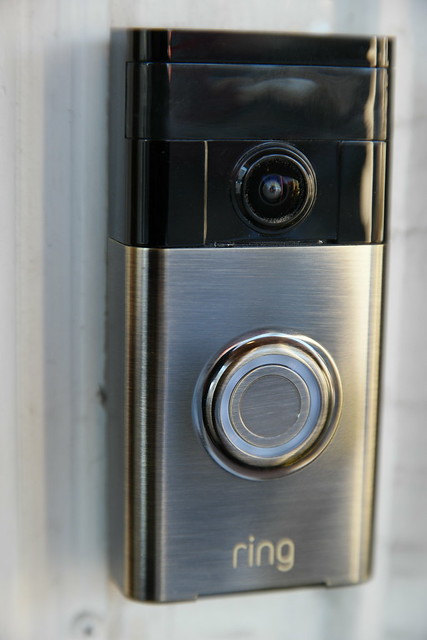
What started me on my quest to extend my WiFi network in our 100 year old home, was the installation of a ring.com WiFi connected video doorbell. In order for the doorbell to perform correctly, it needs a strong WiFi signal. The problem I have in this old house, is that my Comcast Xfinity modem/router is on the third floor, and my doorbell is on the first floor. Connectivity down there was non-existent until I installed a Netgear WiFi Range Extender.

That helped, but the doorbell software kept reporting ill health. I wanted to review the Netgear Orbi WiFi solution, but that isn't available for review right now, so when eero contacted me about reviewing their solution, I agreed.

Better Coverage Than Before
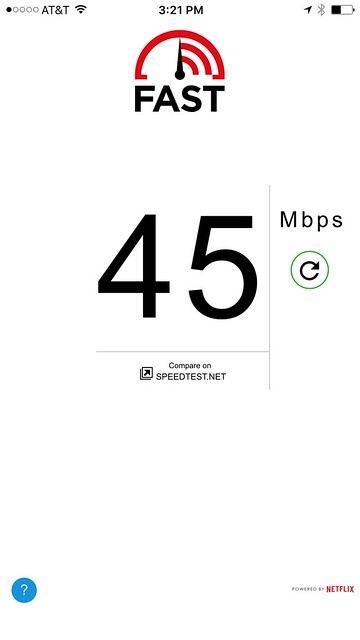
After completing the install of the three eero units, I now have better coverage than before, with WiFi at my front door, going from non existent, to 840 kbps with the Netgear extender, to 45 Mbps with the eero. It's a success. Also, all my existing WiFi connected devices still work after the installation. I was concerned that I'd run into problems, but the only hiccup was that I now have a WiFi connected laptop and printer instead of hardwired connections. That's probably the result of an old 10/100 switch I am using.

Regarding Speed
From the eero website:
Unlike traditional routers, which optimize for the speed you get when standing right next to them, the main goal of eero is whole-home coverage. Sure, speed is important, but only up to a point. Streaming the highest quality 4K HD video only requires a 25 Mbps connection, and Netflix HD only requires 5 Mbps.

Bottom line: getting super high speeds directly next to your router isn’t as important as consistent coverage throughout your home.

Here's my experience installing and testing the eero WiFi system.

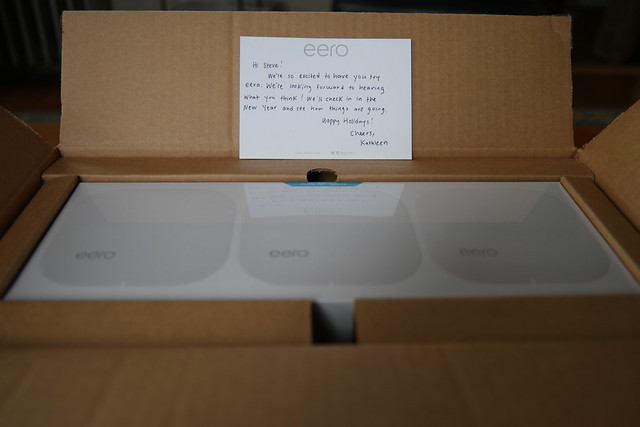
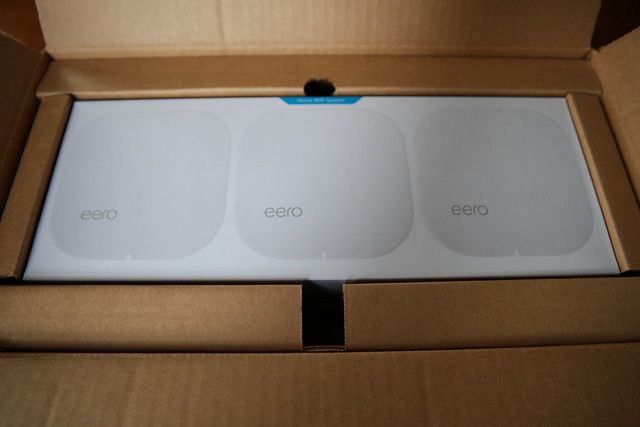
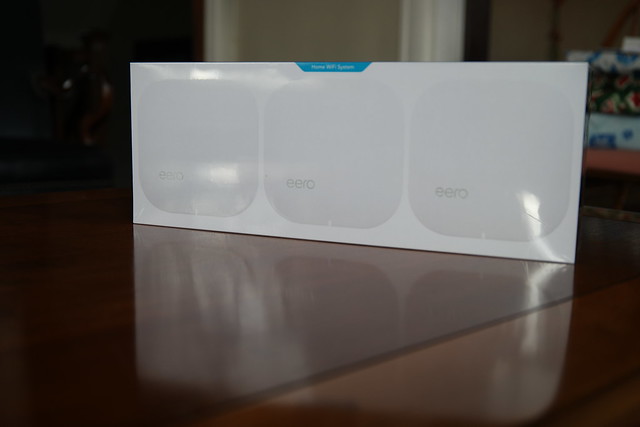
Unboxing

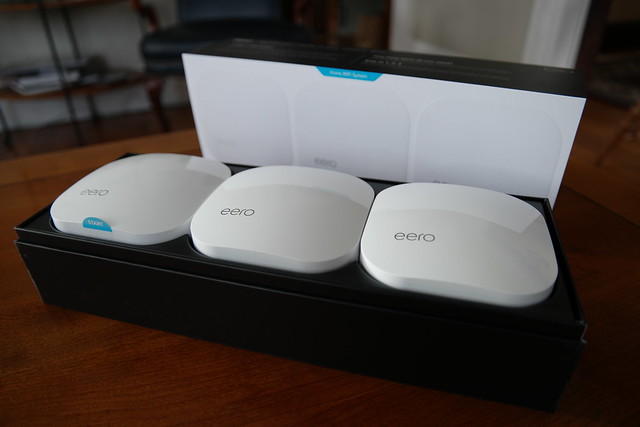
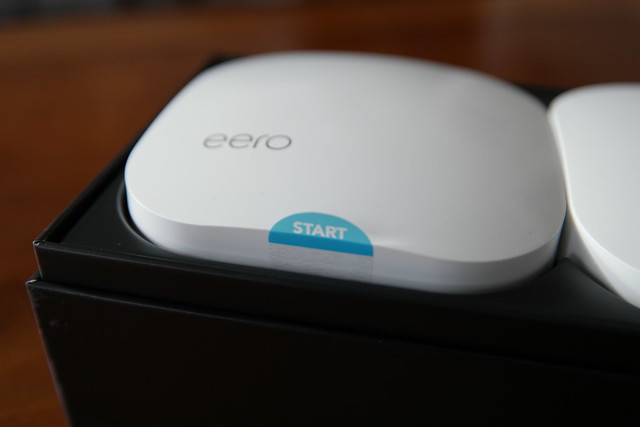
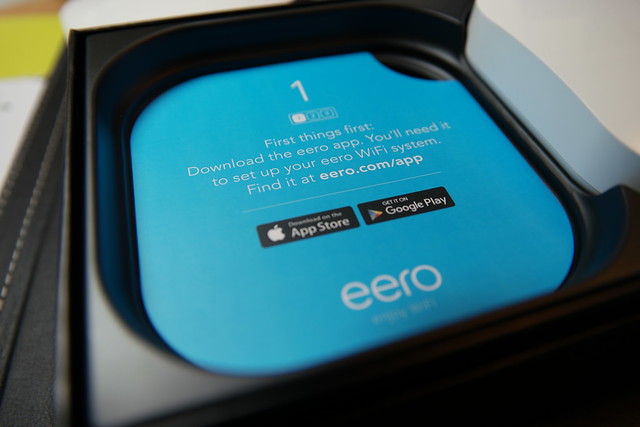
I received an eero Home WiFi System 3-pack, LIST PRICE $ 499.00, for review. It's well packaged, following the Apple model of impressive design.

eero install

eero install

eero install

eero install


It's very welcoming, indicating where to start with a START sticker. Makes sense.

eero install

Buy on Amazon.com eero Home WiFi System (Pack of 3) - Blanket Your Home in WiFi, Replaces Wireless Router and Range Extender, Gigabit Speed, WPA2 Encryption [ Affiliate Link]


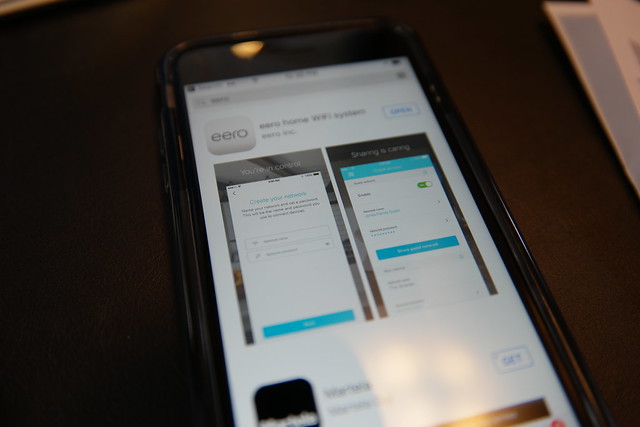
Download the App

eero install

eero install

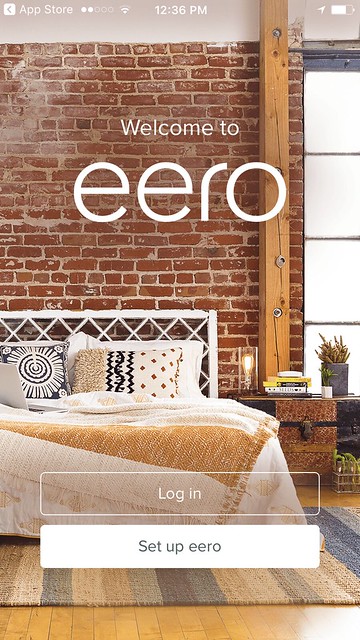
Welcome to eero

eero
Image: Welcome to eero App splash page

The app is very straightforward and guides you through the set up. I have a Comcast Xfinity modem/router and the instructions asked me to enable bridge mode. That was easy. Then the app started reporting an error, "Trouble connecting to the Internet." I knew that I had an internet connection because my laptop was hardwired to the modem and I was still able to browse with Safari. So I called the help number for eero, and someone answered right away. They were knowledgeable about my situation and suggested disabling bridge mode, creating the eero nnetwork, and then when set up was complete, enable bridge mode again.

That worked.

When I came time to naming my network, I chose the existing name of my fastest network, Skynet-5. All the other network names would be removed after enabling bridge mode since that shuts off the WiFi routing from the Comcast Xfinity modem.
I also unplugged my Netgear extender, so goodbye to Skynet-2.4. Skynet-5_EXT and Skynet-2.4_EXT. Switching networks was a pain and I'm glad that I now just have to use the one network at home.

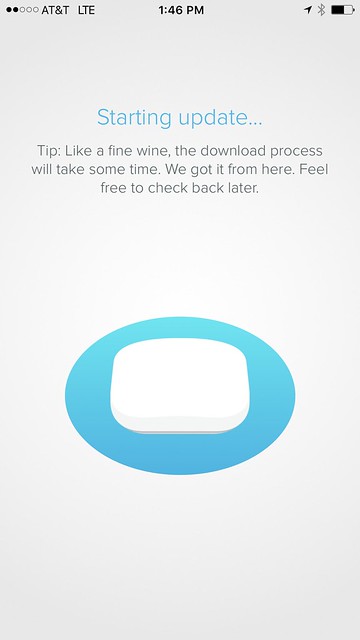
Post Install - eero Update

eero

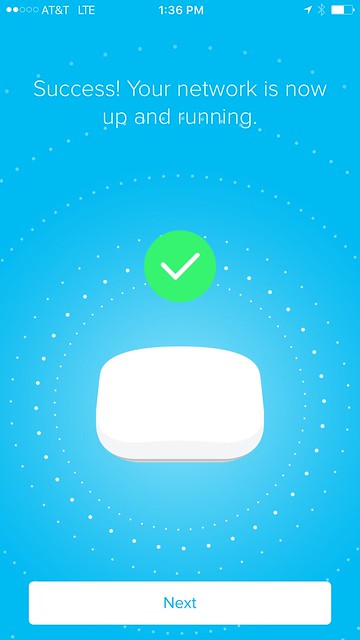
Success - Your Network Is Up and Running

eero

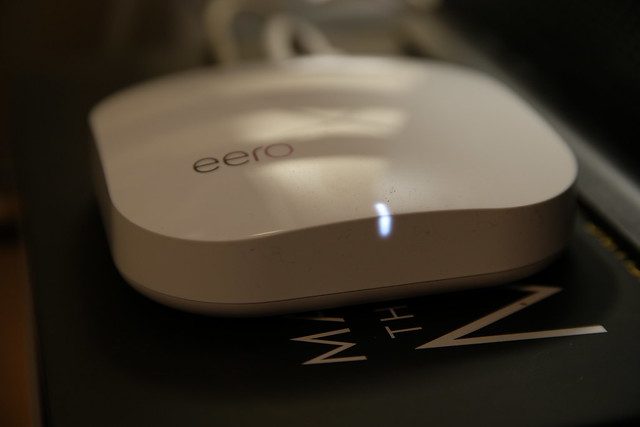
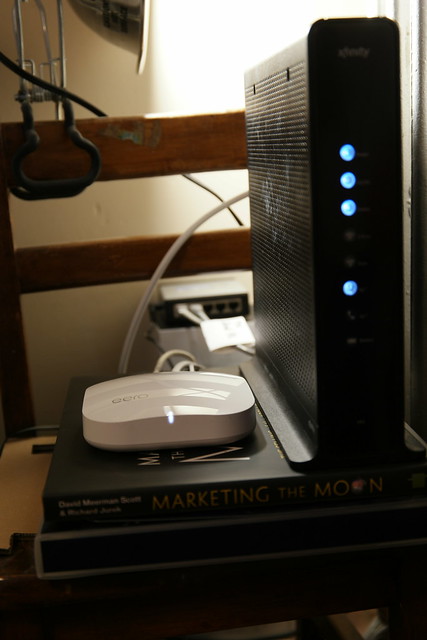
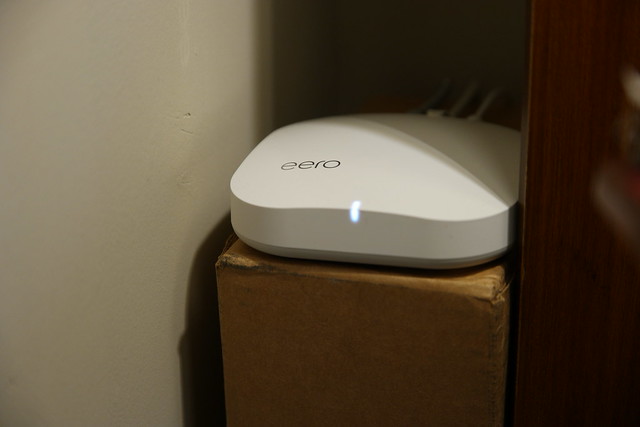
Here's a physical tour of an eero.

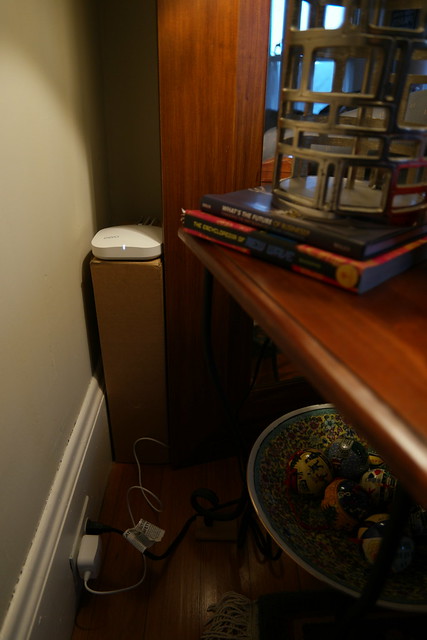
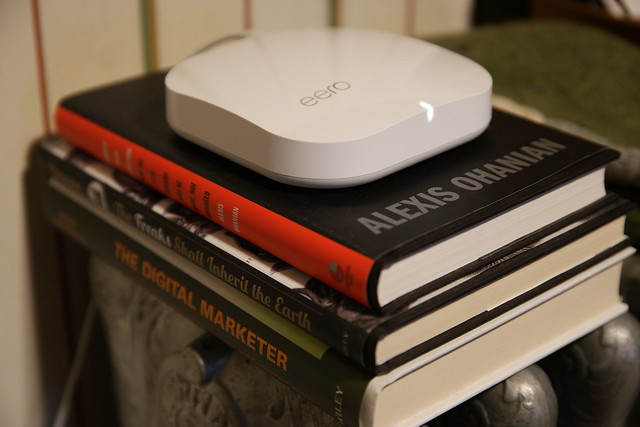
Now let's take a look at each of my installed eeros.

eero ONE

eero 1, 2, and 3

eero 1, 2, and 3

CONNECTION: COMCAST XFINITY MODEM -> eero ONE -> 5-port switch
CONNECTION: 5-port switch -> CAT 5 to eero TWO

eero TWO

eero 1, 2, and 3

eero 1, 2, and 3

CONNECTION: eero TWO -> TiVo

eero THREE

eero 1, 2, and 3

CONNECTION: NONE

SPEEDS

OFFICE
BEFORE 180 Mbps, 130 Mbps
AFTER 230 Mbps, 190 Mbps, 170 Mbps

KITCHEN
BEFORE 130 Mbps, 84 Mbps
AFTER 180 Mbps, 31 Mbps, 19 Mbps


FRONT DOOR
BEFORE NO SERVICE
BEFORE/Extender 840 kbps
AFTER 45 Mbps


Dead Zone is No Longer Dead

eero install

eero
Image: Fast.com Speed Test at Front Door

Prior to installing the eero, I was extending my WiFi network with a Netgear Extender. My Ring.com doorbell kept reporting a weak signal.

Now, after installing three eero units, one upstairs on the third floor near the modem, and two on the second floor, the signal at the front door is 45 Mbps. Prior to the eero install, the front door could not get any WiFi service from the 3rd floor Comcast Xfinity Modem/Router, and only received a weak 840 kbps WiFi signal after installing the Netgear Extender.

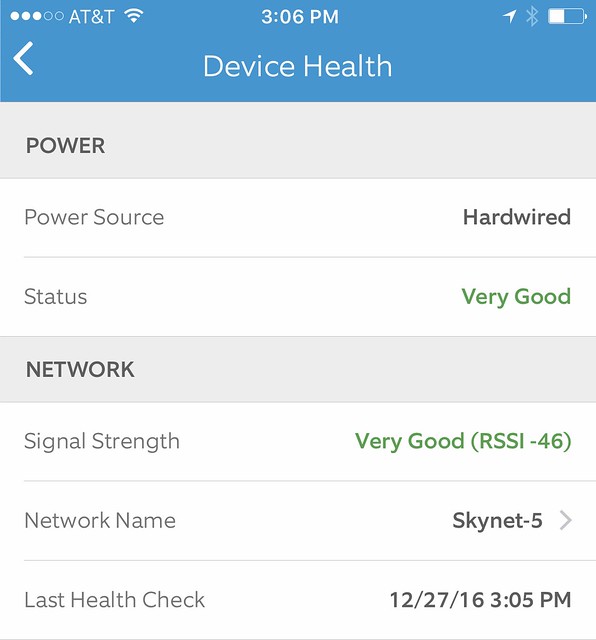
Now with 45 Mbps, the Ring.com door bell reports Very Good signal strength health.

eero
Image: Ring.com Device Health report

Here's how to change the WiFi network on an installed Ring Video Doorbell.


More information

eero community
eero blog
eero on Facebook
eero on twitter
eero on Inatagram


Alternatives

Google WiFi System.


Netgear Orbi.


Disclosure: I received eero WiFi system with TrueMesh for free in return for my honest opinion. This review reflects my honest opinions, findings, beliefs and experience.

UPDATE:

I gave this eero system to my cousin who was experiencing weak signals in parts of his house.

Here's his report.

"Had some weaker areas that weren't totally dead but they're regular speed now."

Speed test:

Thursday, November 24, 2016

2017 Mercedes-Benz E300 with Apple CarPlay

My Mercedes-Benz Dealership, Mercedes-Benz of Burlington, gives out loaner cars when you get your car serviced. I asked for an E300, while my C300 was in for it's B service.
I got a 2017 Mercedes-Benz E300. What a sweet car.


It's a little bigger than my C300 and does away with the semi-floating 8.4-inch screen, replacing it with an inline 12.3-inch high-resolution central display.

Display


The 2017 E300 also has a USB plug in the cupholder section.


After I plugged my iPhone 7 Plus in, the car detected it and asked me if I wanted to connect to Apple CarPlay.

"A new Apple CarPlay device has been connected."


I accepted "Automatically" and the CarPlay display came up. It's impressive.  The colors are vibrant and details are very pronounced.


I saw Pandora on there, so I scrolled over to it using the COMAND system with touchpad controller.


It was easy to scroll around my artists.


I selected Paul McCartney & Wings.


Next, I selected Maps, and chose to browse local shopping, and my supermarket came right up, so I selected it, and navigation led me there.


The final thing I'd like to share is the 64-color LED ambient lighting. This was fun to play with and decide on a color.
A network of LEDs can create not just a soothing ambience in the cabin, but one you can alter to suit your mood, or even create one. An incredible 64 selectable colors and adjustable brightness let the driver control the atmosphere like never before. Edge-lighting glows from beneath the "waveform" dash trim and door armrests, and from behind the instrumentation screen panel. Even the footwells, door handles and rear overhead assist grips are bathed in a soft glow.


Disclosure: Mercedes-Benz of Burlington provided me with a 2017 Mercedes-Benz E300 as a service loaner. I have a financial interest in Mercedes-Benz of Burlington. I was not asked to write anything about the car and was not provided any other compensation of any kind. All opinions I express regarding the Mercedes-Benz E300 are my own.